 Quantvex
Choose your markets.
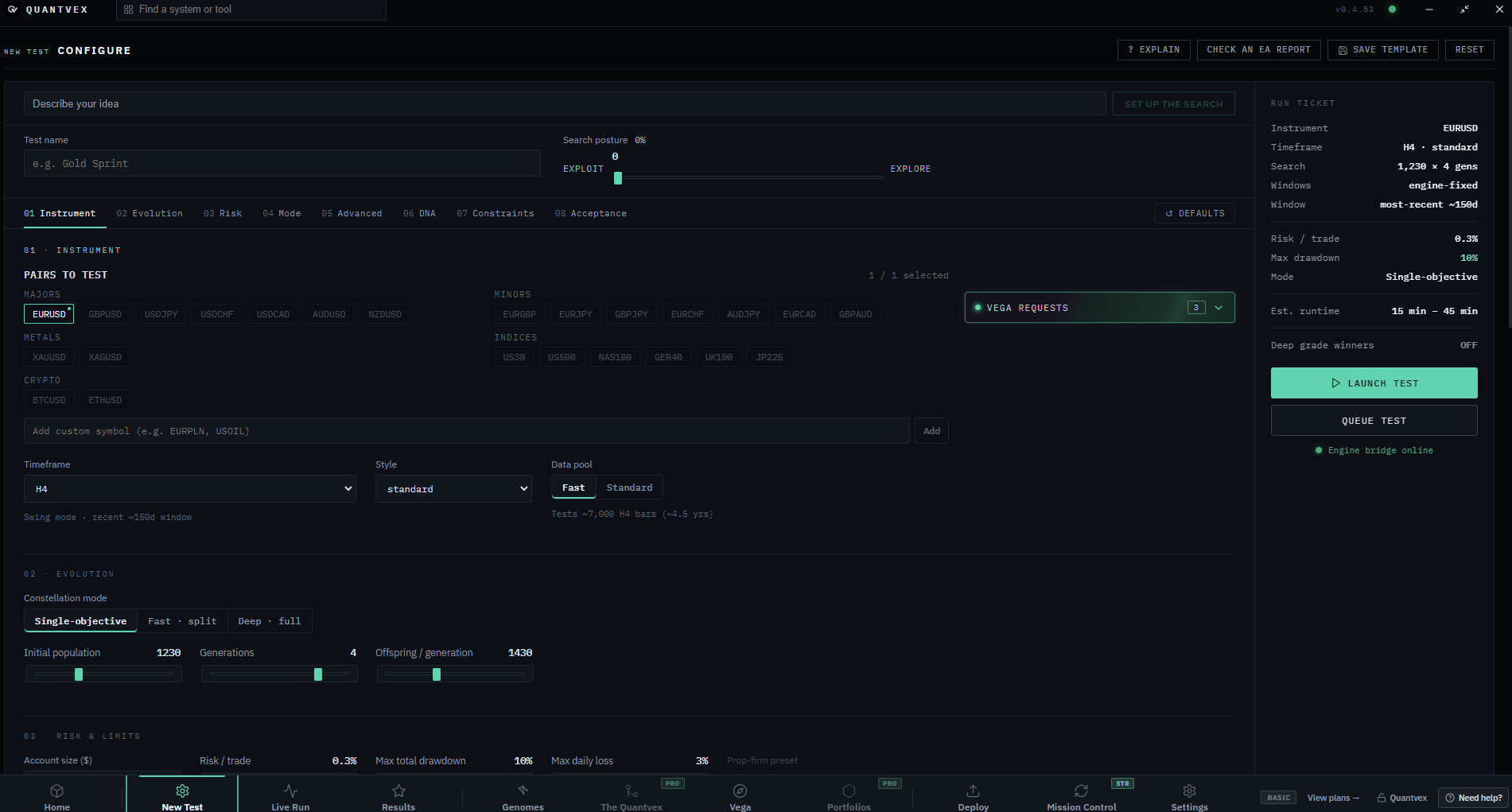
Select the instruments and timeframes you want Quantvex to search.
No card required. The free plan includes one live deploy to MT5, for one strategy. Windows 64-bit · version 0.4.53 · 108.7 MB.
Validation report
Every strategy Quantvex generates is scored, then re-run on a holdout period it was never optimised on. Here's how each tier fared.
Sample figures for layout only. Replace with your own validation results before publishing.
Read the full methodologyS-tier is the top 1% of scores: 1,912 of 186,400 strategies tested.
How it works
Select the instruments and timeframes you want Quantvex to search.
Each candidate is optimised on one slice of history, then re-run on a validation window and a sealed holdout it has never seen.
Tick any survivor to overlay its equity curve on the others and compare them side by side.
Drag the risk slider and watch the projected worst drawdown move against your limit.
| Candidate | Train PF | Validate PF | Holdout PF | Result |
|---|
| Survivor | Market | Holdout PF | Max DD | Trades |
|---|
Tested at 0.25%. Each bar below is a separate replay of this system at that size — nothing is scaled.
Example rules for illustration. Confirm with your firm before you trade.
Limits from your Configure tab · measurement only, never selection
Plans
The search engine and validation are identical on every plan.
Billed monthly
Pay monthly, or pick a longer licence above to save.
Billed monthly
Pay monthly, or pick a longer licence above to save.
Billed monthly
Pay monthly, or pick a longer licence above to save.
All prices in GBP. Compare every feature
Strategy library
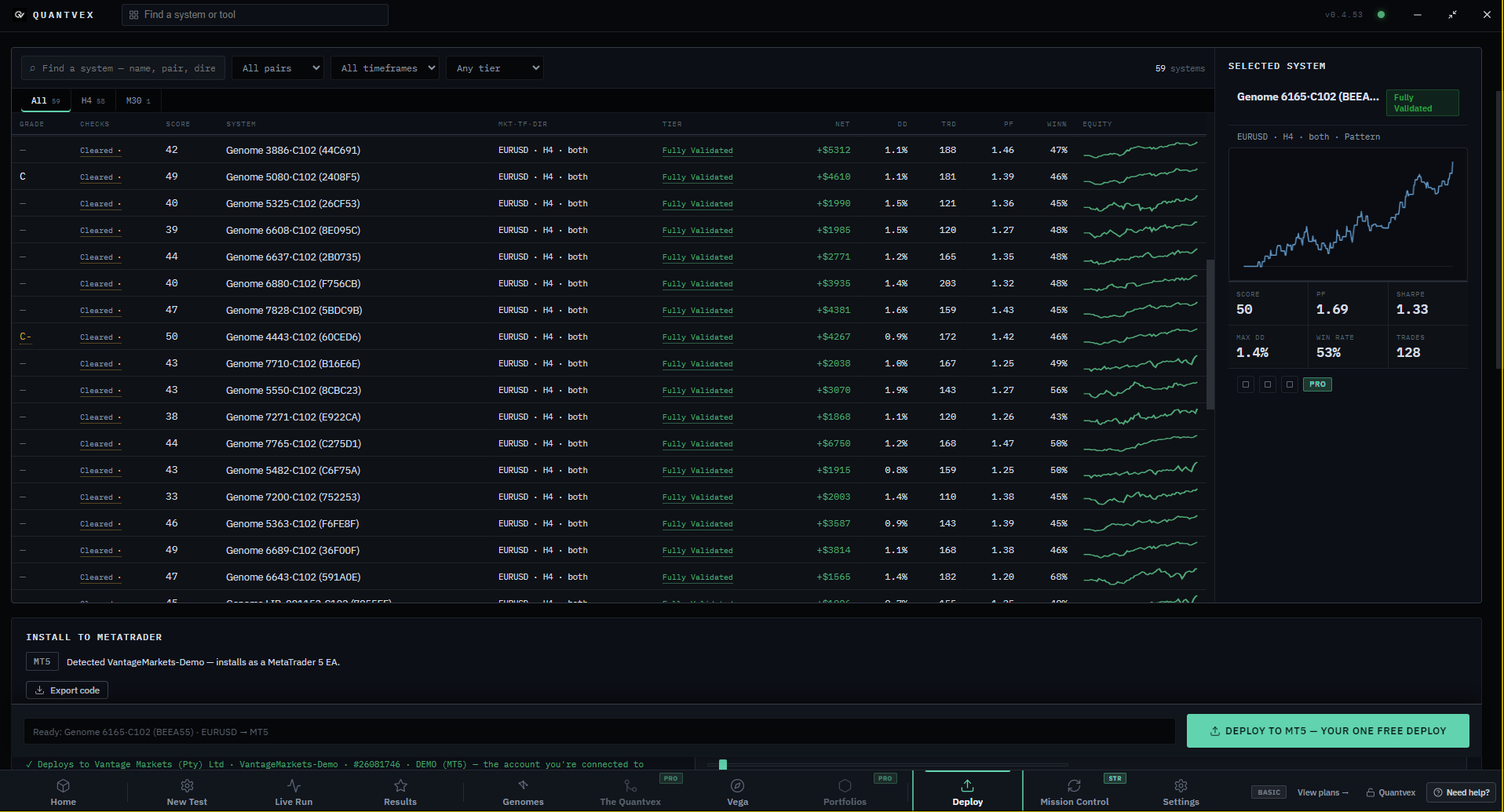
48 strategies for MetaTrader, each one validated on holdout data it never saw.
Live test
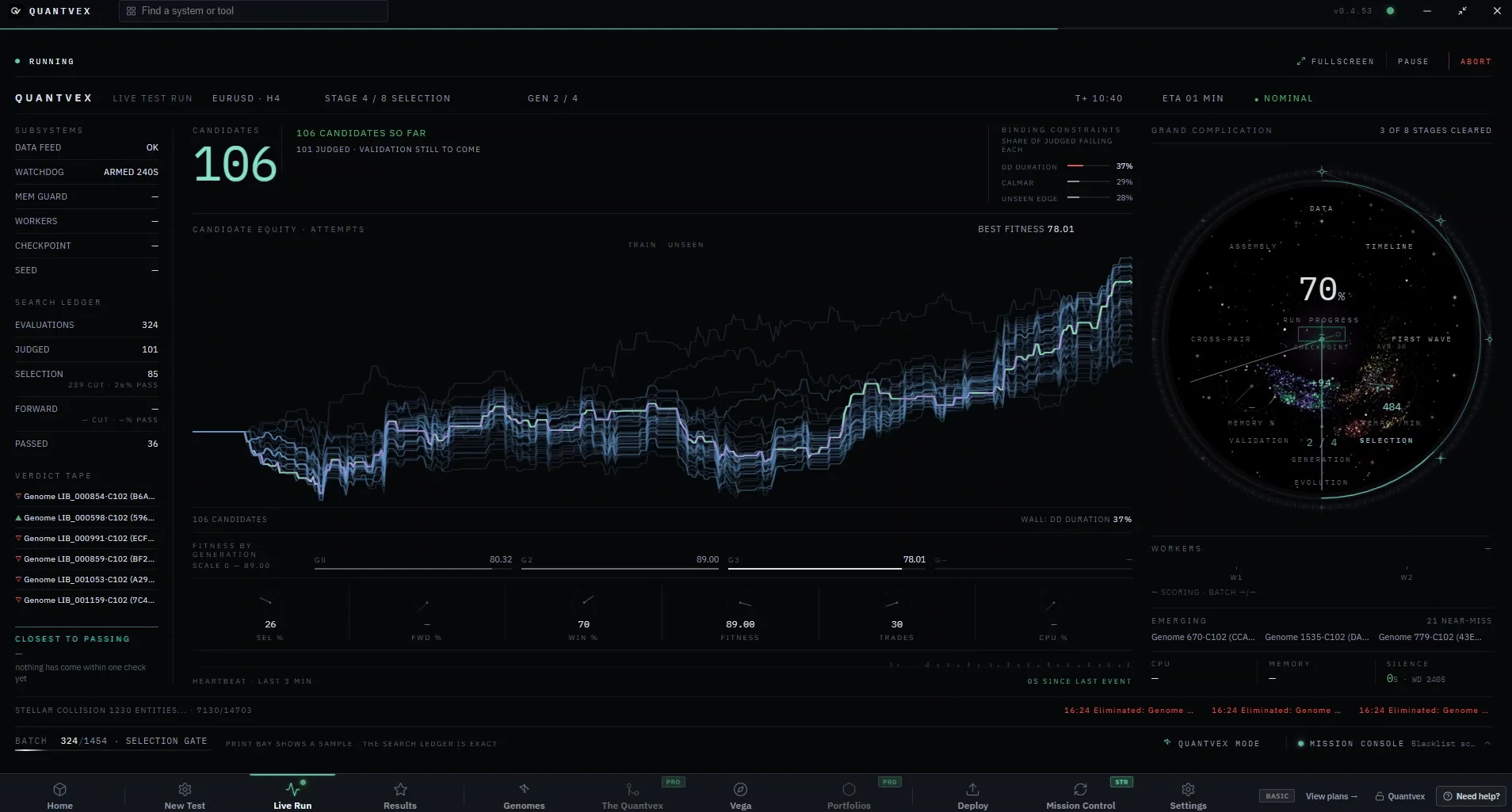
A real Astra run: strategies are bred, tested on train, validation and holdout data, and only the survivors are kept.
Vega · the shared network
Quantvex users can pool their anonymised backtest results into Vega. Pro and Ultimate plans can also search with the whole pool.
On. After each run, anonymised outcomes join the shared pool. Your trades, balance and account details never leave your machine.
After you deploy
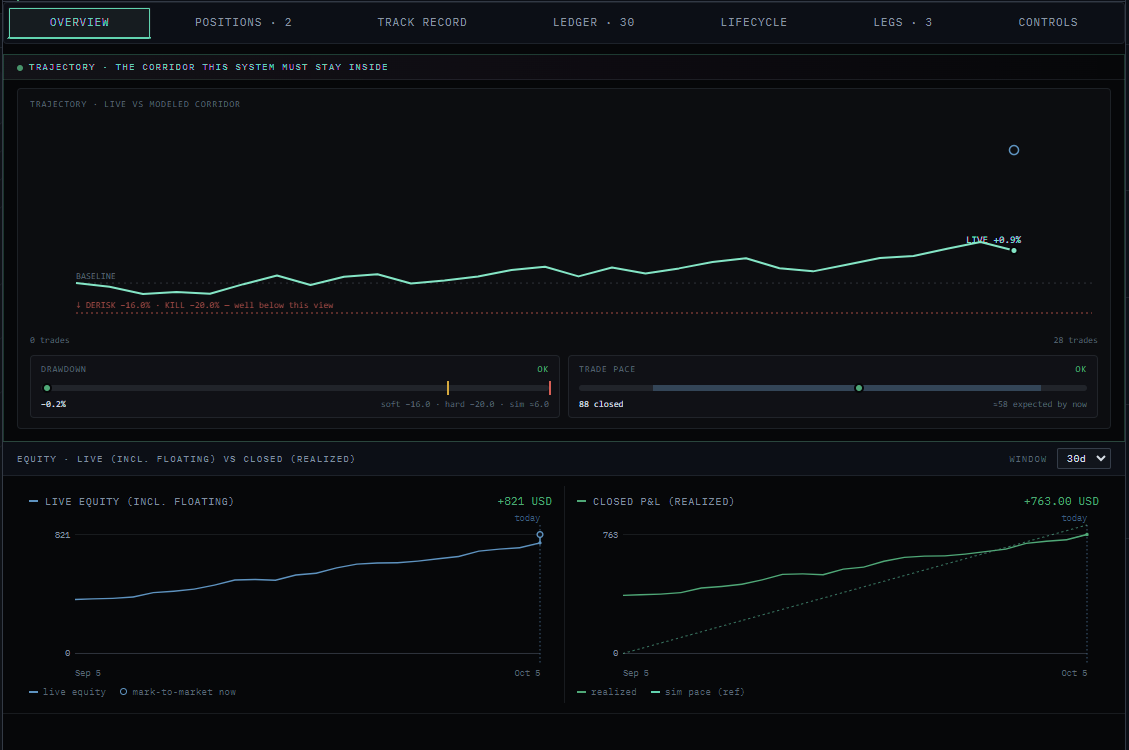

| Ticket | Side | Lots | Open | Now | P/L |
|---|
| Closed | Side | Entry | Exit | Result |
|---|
Demo account. Tap a command.
In every install
The language Quantvex speaks, across the whole app.
Demo field. Nothing you type here is sent anywhere.
What we make
Build, validate and deploy EAs with no code.
Learn more ›48 ready-made strategies with every rule documented.
Learn more ›Position size, risk of ruin and prop-firm limit tools.
Coming soonExplore
New in 1.2
Re-run any strategy's sealed holdout window and inspect every trade it took.
| Equity |
|---|
One live deploy to MT5. No card needed.
Learn more ›Drag the line: everything to its right stays sealed until the last check.
Pricing
You pay for deploys and what happens after them. Plans from £29 a month.
Quantvex is a desktop app that builds, validates and deploys Expert Advisors for MetaTrader 4 and 5. Your account stays with your broker, and your strategies stay on your machine.
About Quantvex ›No tool can promise that, and you should be wary of any that does. Quantvex filters out strategies that fail validation on unseen data, then monitors what you deploy so problems surface early. Trading risk always remains yours.
No. You pick markets, styles and limits in the app. Quantvex writes and compiles the Expert Advisor for you.
The search, the validation and the compiled EA all run locally. Your MetaTrader account stays with your broker and your credentials never leave your machine.
The full search and validation engine, plus one live deploy of one strategy to MT5. No card needed.
Yes. Prop-firm mode builds your challenge's drawdown and daily-loss rules into the EA so it can't break them.
You keep your plan until the end of the billing period, then drop to the free tier. Your strategies and settings stay on your machine.
The free plan includes one live deploy to MT5. Paid plans from £29 a month.
Download free